Showing posts with label Photo-editing. Show all posts

Tuesday

iPiccy - Say What?!

Hi, friends! 

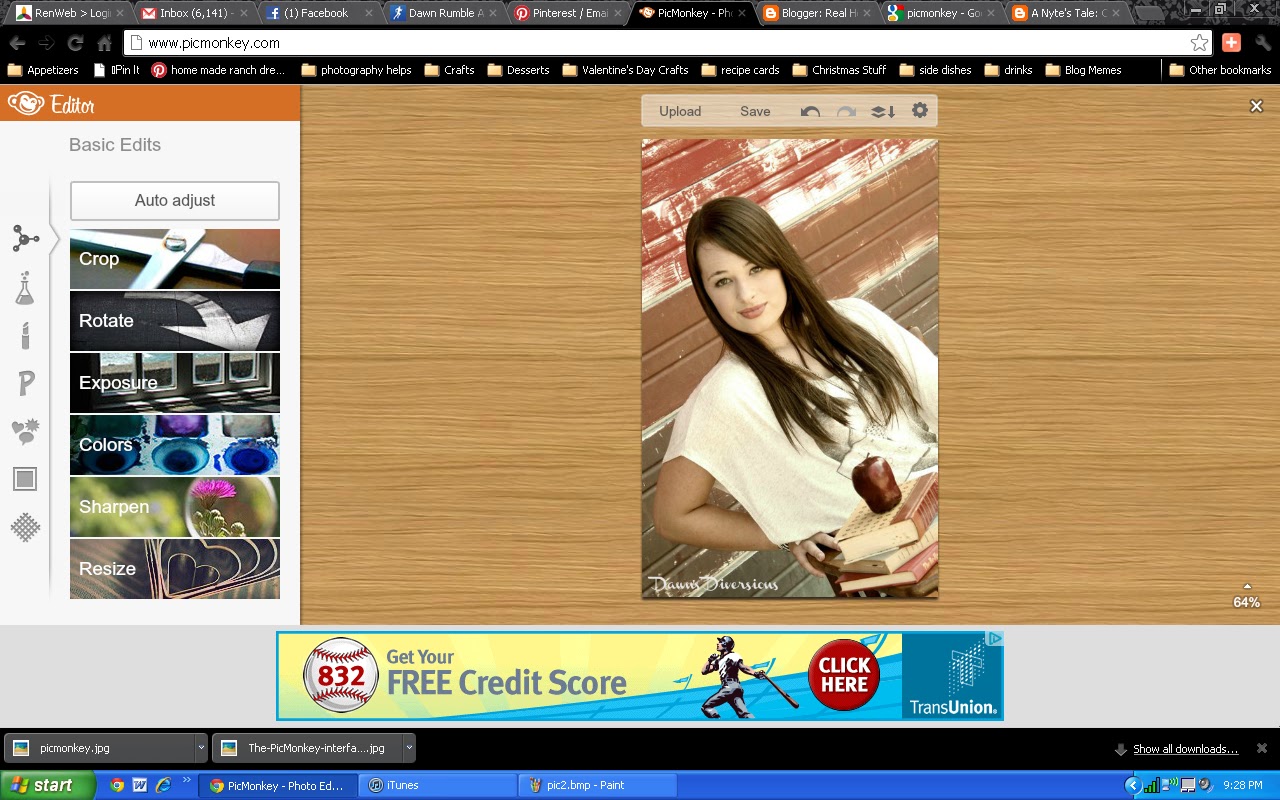
Over a week ago I shared PicMonkey, a simple editing tutorial with you. I got great feedback from many of you on Facebook. I loved that you tagged me in pictures that you had edited using PicMonkey. Isn't it fun to be creative with your pictures? The more you use the program, the better your pictures with look.

It was a comment that was left by one of our favorite readers, Yogi from Yogi's Den, that prompted me to check out another editing program called iPiccy. This program is very similar to PicMonkey, but you have a few more options. In a nutshell, I LOVE it. I used this program to edit this years' back-to-school photos. 

Here's a few screenshots of some of the edits I made to my daughter's picture. I'll show you the original picture first and then some of the edits. 

SOOC (straight out of camera)


Upload the photo and then hover over picture to see tool to click for editing. 

I cropped my picture down to take out the boarded area above her head. 
It was a distraction for me.

I then resized my picture. When I upload pictures SOOC they are very large 
and will slow down the editing process. 

I always adjust my exposure just a little. 

You can play around with the levels and see if some changes are pleasing to your eye. 
I did adjust the levels somewhat. 

Next, I opened up the layers tab. It's under this tab that you can add text.
I added the word Freshman and the year to her picture. 
I also added a watermark at the bottom to copyright my picture. 
On all three texts, I used the fade slider to make the texts not so bold. 
I wanted them to look like they had been chalked on the brick. 

It is here that you'd want to open the "face" tab to do any skin touch-ups. 
For this picture, I did not do any touch-ups. But, had her eyes been open wider, I would have
used the "eye bright" on them. 

The filters tab is a fun tab. This is where you can change so much about your picutre.
I never use just one filter. And I rarely ever just click the filter without also adjusting it with the slider. 

This is my end result. Not too shabby for a quick and easy edit. 

Here are a few of the other pictures I took that day and edited with iPiccy. What do you think? 


This one didn't turn out quite the way I had hoped. That would have required a 
cooperative five year old. Still loved the idea I found on Pinterest for the inspiration. 

Again, I'd like to thank those of you who commented on the last post here and on Facebook. I love seeing your pictures and what you do with them. Please share your pictures with us on Facebook or tag me if we are Facebook friends. Even if you didn't use the above editing programs but got some good back-to-school pictures of your kids, we'd LOVE to see them on our Facebook page - The RHOK

Also, if you use a different editing program than PicMonkey or iPiccy and you'd like for me to check it out, please leave that in the comments as well. 


Pin It

~Mrs. Albright
Gettin' fancy with the edits, like... 

Wednesday

It's that time again.... Back-to-School Pictures!

I know I probably don't share most of the housewives thoughts about back-to-school time. It seems like there is a large percentage of moms who dread a new school year. Not me! I love the excitement of a new school year. I even love school supply shopping. Seriously, nothing smells as good as fresh paper and new crayons. And yes, I'm even looking forward to them being back at school so that I have a few hours to get things accomplished without the bickering that goes on between siblings. Can I get an "Amen?" 
Both of my girls will be at new schools this year. That's exciting in and of itself. I have one going into kindergarten and one going into mid-high. Lots of new adventures ahead for both of them. 
One of the things I look forward to come school time are back-to-school pictures and/or first day of school pictures. We've always taken pictures of the girls on their first day of school, but last year (thanks to Pinterest), I decided to take some back-to-school pictures. There are so many prop/pose ideas to choose from on Pinterest. I just so happen to have an old time school desk, so that's what we used. Here are a few of the pictures from last year's session.
My oldest daughter
My youngest daughter
My friend's sweet daughter 
Another friend's sweet girl 
My daughter and her best friend in the entire world
I wish I had time to show you ALL the photos I shot last year, but I don't. But, what I really want to share with you is how easy the editing was for these pictures. I do own great photo-editing software, but it stresses me out. And, since I'm not really a professional photographer, I don't feel badly for not using it. Ha! 
So, if you are not a professional photographer either,  you just may be interested in how I edited these photos. I used to use the ever-popular-no-longer-in-existence Picnik. It was free but also gave you the option for an upgrade for a measly $24.99 a year. It was SO worth that! Oh, how I miss you, Picnik.com! 
I have been on the hunt for an online editing program that was at least similar to Picnik. I have found it. It's called PicMonkey.com or you can also use Google+ editing. PicMonkey is just like Picnik but with a few less features. Of course it's those features that I loved. 'Tis life! 
When I upload a picture to edit on PicMonkey I first adjust exposure, color, size, and sharpen the picture. I then open the "make-up" tab. I fix blemishes, whiten teeth, line eyes with the "mascara" (if needed - it does help brighten the eyes) and then brighten the eyes. Always use the adjustments to make things change from more to less effect. 
After I've fixed the bones of the photo I open the effects tab. It's here where you can add different kinds of filters to your photo. It allows you to adjust on each filter as well. I almost never just use one filter. Most times I've used two or three different ones on a single picture. I just work with the picture until I find what is pleasing to my eye. 
At this point I'm usually finished with the photo. There are times when I may want to put a frame around a picture or add text. You will see the tabs to do those things there as well. Here I'm adding a watermark.
I get told frequently that my pictures look great. Everyone wants to know what kind of camera I use and what kind of editing software. I do own a nice camera, but if one doesn't know how to use it properly, it's just that, a camera. Get to know the camera you own. Read the manual and learn how to use it properly. When you take a good picture you can take the credit for how it turns out - not the camera. I don't know one photographer who appreciates when someone says, "Your camera takes great pictures!" 
Let me know if you've used PicMonkey or what editing programs you do enjoy using. If you haven't used it and do try it out, I'd love to hear what you think. I hope this little tutorial will be useful for you. We are here to help housewives everywhere do life better or at least easier! 
Pin It
~Mrs. Albright
Laughing when someone asks what photo-editing program I use, like a....

Monday

Instagram: My New Addiction

I admit it right now, publicly, I tend to struggle with addictions.... app addictions to be exact. I'm pretty sure I have a love affair going on with my iPhone. Don't worry, my husband is well aware. Even if he doesn't admit it, he certainly enjoys his as well. He has a love/hate relationship with Scrabble. At least once a week, he threatens to delete the app.

My favorite apps, until very recently, were Words with Friends, Scrabble and Bejeweled Blitz. I don't play Bejeweled Blitz as much anymore, but I'm still heavily involved with Words with Friends. I'm continually in games with Yogi, CaraBee and Mrs. Schmitty, Alyssa & Leslie. Thanks, guys, for always playing. (If you play and would like to start a game with me, my name is dawnsdiversions.)

But, it isn't Words with Friends that I want to share with you about today. Today, I want to tell you about the coolest photo app EVER! It's called Instagram. It was created for the iPhone, iPad and iTouch, but I think you can access it with Android now as well. You'll have to do some Googling to find that out.

On Instagram, you can take or upload your picture and then choose one of twelve filters to apply to your photo before publishing. The filters are easy, by a click of the button, and make your pictures fun.


Mrs. Sinclair is the person responsible for my IG addiction. Just when I got the hang of IG down, she posted a picture in a collage or one with words added to the actual picture. But, because she is cool and takes pity on those less talented, she is quick to help when asked.

I'm getting a bit ahead of myself. Let me give you my description of Instagram. It is its own social network. Imagine Twitter and Photography put into a blender and then poured into the most beautiful glass for all the world to see and comment on. Ahhhh.......

You can follow your friends from your contacts, friends from Facebook and from Twitter. You can even follow people you do not know, just like Twitter. What makes it better than Twitter, in my opinion, is you are not limited to 140 characters. You can reply back to people who comment on your pictures, just like Twitter, by using the @ symbol. You can also use the # hash tags, like Twitter. You can "like" your friends' pictures, just like on Facebook. I've become a little obsessed with creating unique pictures to get a lot of "likes" so I can someday be featured on the "Popular" page. (Did I just admit that out loud?!)

What's really cool, you can publish your picture (and caption) directly to Facebook, Twitter, Tumblr, your email and Four Square. It is A W E S O M E.

There are some uber talented photogs on IG. I'm learning so much. I'm also looking at EVERYTHING as a potential picture to be uploaded.

I've become addicted to several other photography-type apps to use for editing before ever uploading to IG. Here are a few, in no particular order, that I love to use with my pictures:

  • Filterstorm
  • iPicEd
  • Framed Lite
  • Label Box
  • ScribeItLite
  • PerfectPhoto
  • Label Maker
  • Diptic
  • Camera Bag
  • PS Express
I love photo-editing apps. Do you have a favorite that I didn't list? If so, please share. Remember, I'm addicted and it's okay to feed this kind of addiction. 


Okay, let me quit rambling and just show you some of the pictures I've posted on IG.

I took this picture to show the world my gray hair. The before picture is SOOC (Shot out of camera - iPhone, in my case) and the after is after having a filter applied to it in Instagram. 

Picture was not edited, only has a filter applied from Instagram.

Again, this picture was taken with my iPhone 4 and uploaded to IG where I added a filter. 

This picture was edited with one of my photo-editing apps and then I used Label Maker on it to add the text. I then uploaded the picture into Instagram and added a filter. 

I edited with a photo-editing app and saved it. I then uploaded to Labelbox and applied the cute text and then saved. Last, I uploaded it to IG and added a filter. Wa-la! 

While looking through my photos on my phone I came across a picture my teenage daughter took of herself. I uploaded it to IG and added a filter and this is how it turned out. I LOVE it. 

These are all pictures I took while in downtown Tulsa. I used my photo-editing apps and then saved them. I then used Diptic to place them in a collage and saved them. And, can you guess what I did next? YES! I uploaded it to IG. See? You're catching on already. 
This picture was taken with my iPhone 4. It is completely unedited. When I uploaded it to IG, I chose NOT to apply a filter to it. It just didn't need one.  


Are you ready to download Instagram if your phone has it? I hope to have several new followers as soon as you do. You can find me on IG under dawnsdiversions. You can also find the other housewives as well: nightowl918, jonnibaloney, ajsouthern, ShaRhonda, and Jennykate77. 


~~~~~~~~~~~~~~~~~~~~
I guess by now, you realize this is not a MckLinky Monday post. The housewives met last week for a meeting. We have decided to suspend MckLinky Monday for the time being and host a new link-up. The new one is called In Your Neck of the Woods. We will be hosting it on Tuesdays instead of Mondays. 

What is In Your Neck of the Woods, you ask? It's whatever is going on in your corner of the world. It can be a random picture of something unique to your area, it can be something that happened in your area. That beautiful sunset you saw?  Post it.  The questionable outfit you saw at WalMart?  Post it -- but be sure to blur the face or something.  Show some respect for your fellow man.  Show us the interesting, funny, beautiful things you see around you, wherever you are in the world.

It will be nice & easy to join in because it is really up to your discretion what you chose. You won't have to wait to see what the topic is going to be. You have the freedom to share what you want and still link up with us. We can't wait to see what you are going to share.

And...........the new button (you can grab from the sidebar!)


Mrs. Albright,

Feeding my addictions like....

LinkWithin

Related Posts with Thumbnails